

close
Choose Your Site
Global
Social Media

Views: 0 Author: Site Editor Publish Time: 2026-06-18 Origin: Site


Have you ever seen a heavy screen pull away from the drywall? It is a dangerous and expensive mistake. Choosing a TV mount is a critical structural decision. Ergonomics matter just as much as aesthetics. You must secure the screen safely to protect your equipment. Residential environments prioritize comfort and clean lines in living rooms. Commercial spaces require heavy-duty durability for lobbies and boardrooms. They also demand strict building code compliance and diverse viewing angles for large audiences.
We evaluate weight limits and VESA standards first. Next, we look at wall composition and intended viewing behavior. These factors establish your baseline for a safe installation. This guide will teach you exactly how to match your display to the right hardware. You will learn the mechanical differences between fixed, tilting, and articulating designs. We will also cover structural integrity and cable management rules to prevent costly installation failures. Over-engineering your hardware choice prevents accidents and ensures long-term usability.
VESA and Weight Dictate Baseline Compatibility: A mount must match both the display’s bolt pattern and its specific weight rating (accounting for soundbars or accessories).
Environment Drives Articulation: Fixed and tilting mounts suit dedicated viewing areas; full-motion mounts resolve off-angle viewing in multi-use spaces.
Commercial Demands Differ Substantially: An office tv bracket requires considerations for metal stud mounting, ADA compliance, and higher cycle durability compared to residential counterparts.
Structural Integrity is Non-Negotiable: The failure point is rarely the mount itself, but rather improper anchoring or misidentifying wall composition.
You must verify the VESA standard before buying any hardware. VESA dictates the specific bolt hole pattern on the back of your screen. Manufacturers measure this pattern in millimeters. A 400x400 pattern means the holes form a perfect 400mm square. You will find this specification in your display manual. You can also measure the distance between the holes manually. Mismatched patterns prevent safe attachment. Always confirm this millimeter-based alignment first.
Manufacturers often advertise diagonal screen size limits. Do not rely solely on these numbers. The actual weight rating always supersedes diagonal limits. Screens vary wildly in physical weight. Older plasma models weigh significantly more than modern OLED panels of the exact same size. You must also calculate added peripheral weight. Add the weight of your attached soundbar. Include the weight of webcams, mounting rails, and mini-PCs. The combined total must fall below the maximum load-bearing capacity.
Assess your room before installing the screen. Window placement often dictates necessary adjustments. Sunlight causes severe glare at different times of the day. Seating height directly determines vertical placement. Standard residential sofas require lower placement than tall bar stools. You must choose a bracket offering the right tilt or articulation to mitigate these issues. Proper ergonomics prevent neck strain during long viewing sessions.
Wall materials severely limit your installation choices. Identifying these structural constraints early prevents disasters. Residential homes typically use 16-inch or 24-inch wood studs. Commercial buildings frequently use hollow metal studs. You might also encounter standard drywall or concrete masonry. You cannot use the same fasteners for all materials. Wood studs accept thick lag bolts. Metal studs require entirely different anchoring systems.
Wall Material | Common Environment | Typical Stud Spacing | Required Fastener Type |
|---|---|---|---|
Wood Studs | Residential | 16" or 24" | Heavy-duty lag bolts |
Metal Studs | Commercial / Office | 16" or 24" | Specialized toggle bolts |
Concrete / Brick | Basements / Industrial | N/A | Concrete masonry anchors |
Hollow Drywall | Both | N/A | Not recommended for heavy loads |
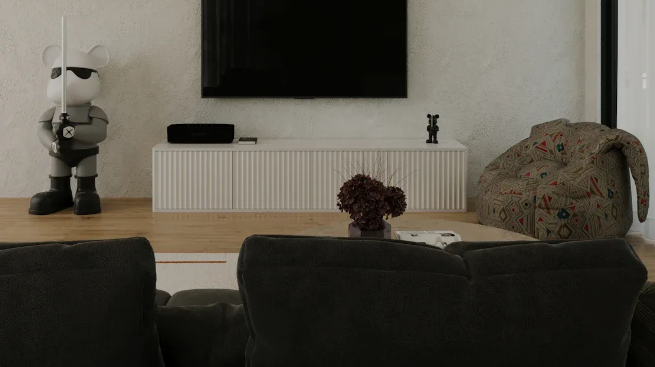
These units work perfectly in dedicated spaces. They suit rooms where seating faces the screen directly. You position the screen at optimal eye level for seated viewers. The bracket sits nearly flush against the wall. This design offers maximum physical stability. It creates a minimal visual footprint in the room. This makes it ideal for a home theater tv mount setup. In these spaces, you control the lighting tightly. You dictate the exact seating positions.
However, fixed low-profile designs have strict limitations. Post-installation access is heavily restricted. You cannot easily reach behind the screen once mounted. You must install recessed power outlets directly behind the display. You must also route data drops and HDMI cables before hanging the television.
People often mount displays above eye level. You see this frequently above fireplaces. You also see them positioned high in commercial lobbies. Tilting brackets provide 5 to 15 degrees of downward angle. This simple tilt actively mitigates severe glare from overhead lighting. It also corrects the vertical viewing angle for people sitting below.
You should understand their limitations. A tilting mechanism cannot correct horizontal off-center viewing. It only moves up and down. Furthermore, the tilt hardware requires extra space. It leaves a slightly larger physical gap against the wall than fixed profiles.
Single-arm designs work well for lighter displays. They fit perfectly into tight corner mounting situations. However, dual-arm construction is absolutely mandatory for heavier screens. Heavy displays require frequent physical extension. Two thick arms distribute the mechanical load safely. They prevent the metal from warping under pressure.
Articulating brackets resolve multi-zone viewing areas. Modern homes feature open floor plans. You might watch the news from a kitchen island while cooking. Later, you might watch a movie from the living room sofa. Full-motion articulation handles this transition smoothly. You simply pull the screen out and point it toward your zone.
Evaluate the physical footprint when the unit is fully collapsed. Some articulating brackets sit awkwardly bulky against the wall. Next, ensure the arm length allows the necessary pivot degree. A very wide television requires longer arms. If the arms are too short, the edge of the TV hits the wall before achieving a full 90-degree turn. Always measure your screen width against the maximum extension length.
You must choose high-gauge steel components. Inferior metal bends over time due to gravity. This causes the screen to look crooked. We call this structural failure "drift." Drift becomes highly noticeable when the bracket is fully extended. Heavy-duty steel prevents unwanted mechanical drift. It keeps the screen perfectly level after years of daily movement.
Commercial settings demand extreme structural reliability. Evaluators test a commercial tv mount for high-cycle usage. Multiple users handle these units daily in public spaces. Always look for UL-listed safety certifications. These certifications guarantee standardized safety margins. The hardware usually includes lockability features. Anti-theft padlocks prevent unauthorized removal of expensive displays.
Modern conference rooms require complex hardware integrations. An office tv bracket must often accommodate PTZ cameras. You need extra space for heavy soundbars. Unified communications hardware sits above or below the primary display. You must plan for these peripherals during installation.
Compliance requirements also dictate commercial placement. The Americans with Disabilities Act (ADA) mandates specific protrusion limits. Screens mounted in public corridors cannot protrude more than 4 inches from the wall. This protects visually impaired pedestrians. Walkways require strict adherence to these low-profile setups.
Some rooms completely lack traditional load-bearing walls. You must deploy ceiling solutions in spaces featuring floor-to-ceiling glass. Extension columns drop down from the ceiling joists securely. Motorized drop-down units serve executive boardrooms exceptionally well. These spaces prioritize aesthetic concealment. The screen disappears into the ceiling when inactive. Users lower the display using an RF remote or a wall switch.
Standard drywall anchors introduce massive physical dangers. Articulating designs generate extreme pull-out force. This differs entirely from shear force. Shear force pulls straight down. Pull-out force acts like a lever. It literally tears the anchor away from the wall. You face mandatory safety requirements when dealing with commercial metal studs. You must use specialized heavy-duty toggle bolts. Alternatively, contractors install thick wood blocking behind the drywall during construction.
You must plan your articulation pathways carefully. Power cables must not bind during movement. HDMI cables must not pinch or crimp. Ensure no cords unplug accidentally when adjusting a full-motion setup. Use zip ties and flexible cable sleeves. Leave enough slack in the wire bundle to allow full extension. Restricting the cables damages the ports on the back of your television.
Many installers completely ignore heat output. Ensure your chosen hardware leaves sufficient airspace behind the screen. Commercial displays run continuously for 16 to 24 hours a day. They generate substantially higher heat output than standard residential models. Proper airflow prevents premature component failure. Do not push a high-heat digital signage display completely flush against a wall without ventilation.
Follow these exact steps to make your final hardware choice safely.
Step 1: Audit the display specs. Record the exact weight and the specific VESA pattern from the user manual.
Step 2: Audit the infrastructure. Identify your wall material accurately. Measure your stud spacing. Note the exact power outlet location.
Step 3: Define the primary use case. Choose between static viewing, dynamic positioning, or commercial durability requirements.
Step 4: Select a model rated for 20% more weight than your display setup. This buffer ensures long-term mechanical stability.
Over-engineering your selection yields much better long-term safety. It heavily improves daily usability. You should always err on the side of caution when mounting heavy equipment overhead. Prioritize total weight capacity over diagonal screen size. Choose dual-arm articulation for heavy, multi-use screens. Verify your wall material before purchasing any hardware to avoid catastrophic failures.
We highly recommend consulting a commercial AV integrator for large projects. Office rollouts require professional compliance expertise. Complex home theater installations involving non-standard wall materials also benefit from professional guidance. Proper planning ensures your display remains secure, functional, and perfectly positioned for years.
A: Yes, but only under strict limitations. You must use fixed or tilting designs for lightweight screens. You must use specialized toggle anchors. We never recommend mounting full-motion articulating brackets directly to unsupported drywall. The pull-out force will destroy the wall and drop the screen.
A: Commercial versions feature robust construction designed for metal-stud environments. They include lockability and anti-theft features for public spaces. Manufacturers subject them to rigorous testing for UL certification. Residential versions focus more on aesthetics and standard wood-stud compatibility.
A: You should position the center of the screen at 42 to 50 inches from the floor. This provides optimal seated viewing. You must adjust this height slightly based on the conference table length. Viewers at the far end of the table need a clear, unobstructed sightline.
A: No, physical diagonal screen size is not the binding metric. The VESA hole pattern and the total weight capacity dictate compatibility. As long as the bracket supports the screen's weight and matches the rear bolt pattern, it will function perfectly and safely.
